Equipment, Devices and Services
- Equipment, Devices and Services
- Wireless devices
- Routers
- Verizon Router
- Fios Router
- Fios Quantum Gateway
- Actiontec GT784WNV
- D-Link 2750B Gateway
- Verizon Business Internet Gateway XC46BE
- Verizon Internet Gateway Business FSNO21VA
- Verizon Business Internet Gateway ASK-NCM1100E
- Verizon Internet Gateway for Business (ASK-NCQ1338E)
- Arris NVG558 LTE Router
- Third Party Routers
- Discontinued networking equipment
- Fios Accessories
- Extenders
- Fios TV Equipment
- Equipment returns
- Fios Internet Service
- Fios TV Services
- Voice Services
OOBE (Out of Box Experience) via Discovery Server
Prerequisite(s):
OOBE (Out Of Box Experience): New laptop from store, or Factory reset laptop.
BYOD and Verizon-sold Windows Laptops. Single device activation.
eSIM profile reserved with Verizon Sales-Assisted or via a Self-Service order via the Verizon My Business Portal.
Laptop should have Discovery Server enabled.
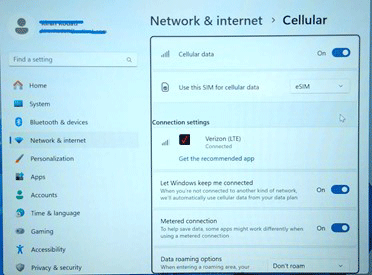
This flow will let users download and install eSIM profile during the Windows setup wizard.
Device Activation Process Steps:
Step 1
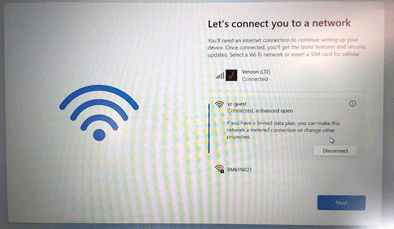
Turn on (or Factory reset) your new laptop and continue Setup wizard until you see “Let’s connect you to a network”.
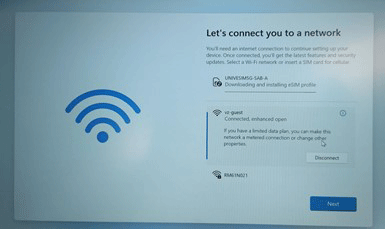
Step 3
After installation completes, a few final steps are performed in the background for network readiness.
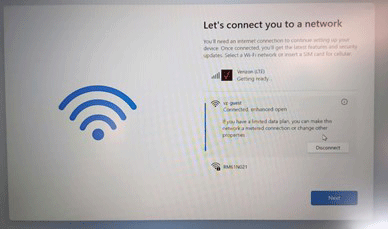
Step 4
Once the laptop shows that your laptop is connected to the Verizon network, click [Next] to continue the setup wizard until desktop appears